
A desktop CAM application for CNC routers and laser cutters. Mills aren’t the target — toolpath generation will run, but mill-specific features aren’t built in. Runs locally on Windows, macOS, and Linux. Java 21 or later required.
Download MapleCAM Read the user guide
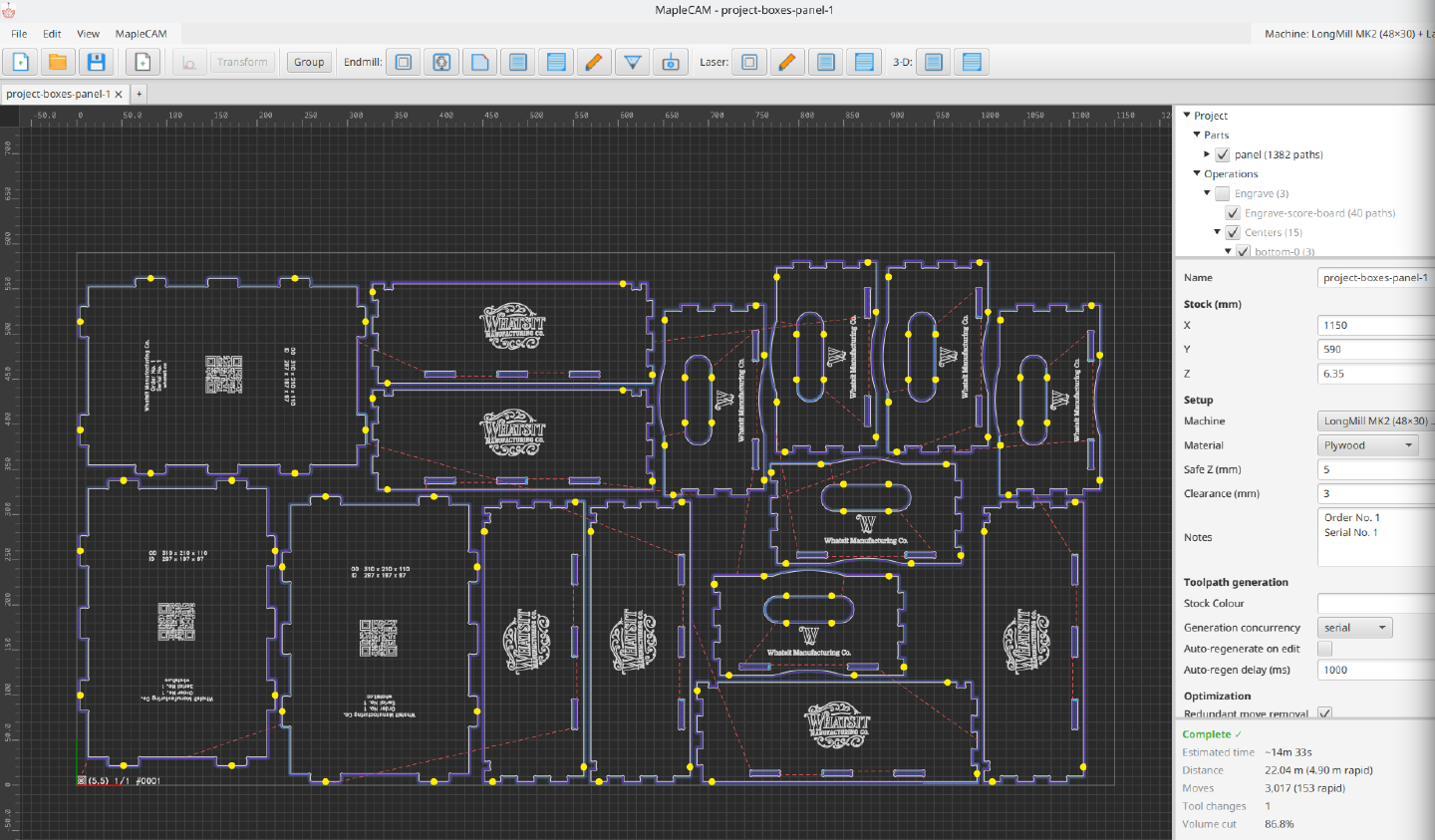
What you can do with it
Import SVG and DXF directly. Drop a file on the canvas and the geometry lands on the stock at full size; rulers help you reposition and scale it from there. (No rotation in-app — rotate in your design tool before importing.)
Lay out routing operations: pocket clearing with offset, line, or zigzag strategies; profile contours with tabs for workholding; helical-entry contours; facing for surfacing stock flat; engraving for line work; V-carving with medial-axis depth resolution; and edge chamfering with a V-bit.
Lay out laser operations: contour cutting, line engraving, hatch fills, and grayscale image engraving via raster, halftone, or stippling. Power and feed-rate are per-tool; one project can drive both a router and a laser if both are configured.
Validate before you cut. A voxel-based simulator runs every toolpath against the stock model at 0.2 mm resolution and flags overcut — material removed outside the intended region. The 3D viewport has toggleable layers for toolpaths, rapids, stock, cutting volumes, and remaining material so you can spot undercut visually before exporting G-code.
Export G-code for GRBL, grblHAL, or LinuxCNC. Project files are
saved as .mcam (SQLite). Tool and machine libraries persist under
~/.maplecam/ and are reused across projects. A first-run
machine setup wizard captures your work area, spindle range, laser
capability, and safe-Z heights.
Cut what Tenon designs. Tenon hands its nested sheet straight to MapleCAM, so a flat-pack job arrives as parts on stock ready for toolpaths rather than as a folder of SVGs to re-import.
Status
Alpha. Read the user guide for the full workflow and the operation reference. Bug reports and feature requests go through support.